Appearance
vitepress接入algolia
前提条件
- 创建一个algolia账号,并创建一个索引
- 利用github actions生成algolia索引
- 在github后台配置 APPLICATION_ID API_KEY
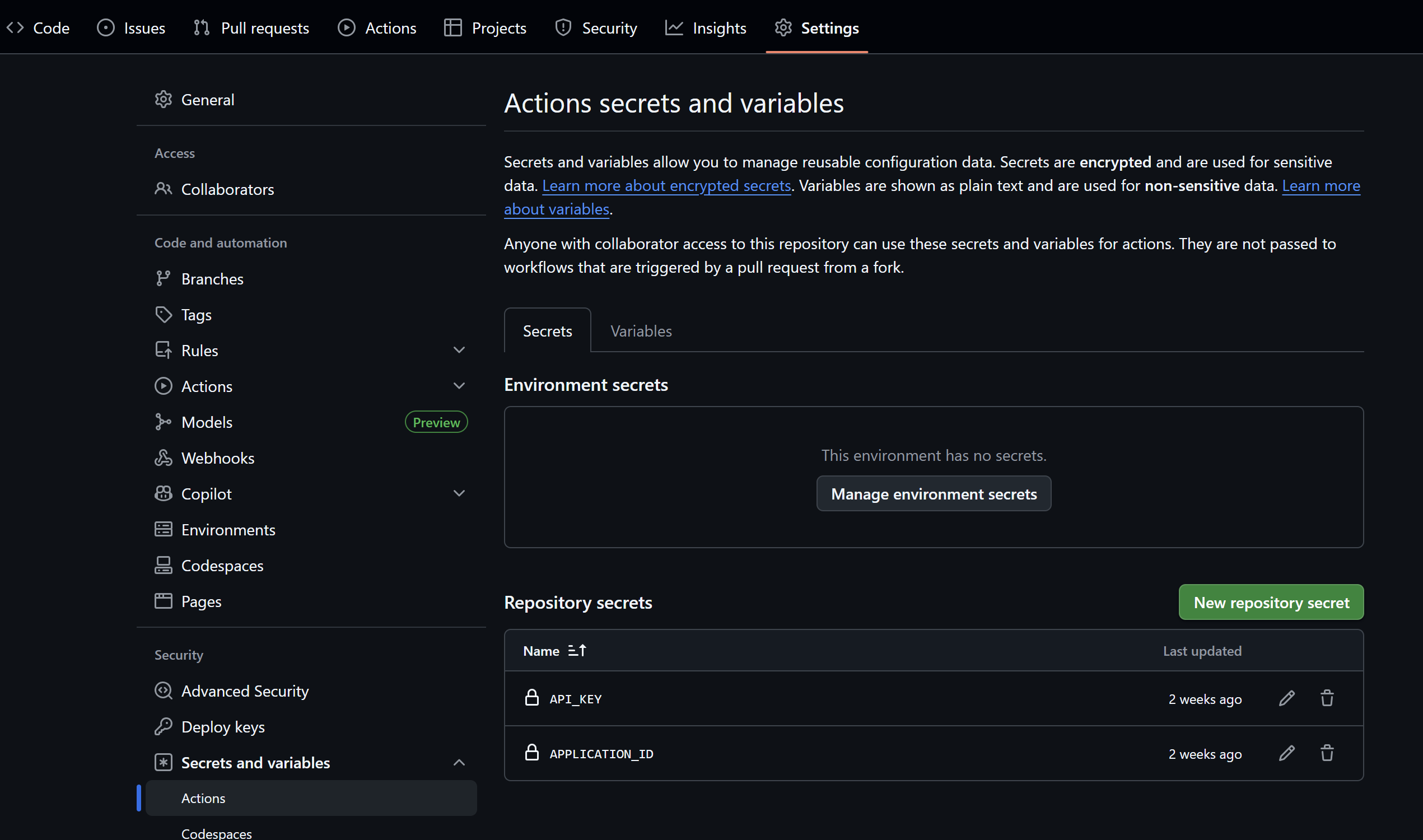
方案实现
在项目根目录下f创建 docsearch.json
json
{
  "index_name": "personal-notes",
  "start_urls": [
    {
      "url": "https://xxx/notes/",
      "selectors_key": ""
    }
  ],
  "stop_urls": [],
  "selectors": {
    "default": {
      "lvl0": {
        "selector": "",
        "default_value": "我的文档"
      },
      "lvl1": ".content h1",
      "lvl2": ".content h2",
      "lvl3": ".content h3",
      "lvl4": ".content h4",
      "lvl5": ".content h5",
      "lvl6": ".content h6",
      "text": ".content p, .content li",
      "lang": {
        "selector": "/html/@lang",
        "type": "xpath",
        "global": true
      }
    }
  },
  "custom_settings": {
    "attributesForFaceting": [
      "lang"
    ]
  }
}
创建docsearch.yml 文件
yml
name: docsearch

on:
  push:
    branches:
      - main

jobs:
  algolia:
    runs-on: ubuntu-latest
    steps:
      - uses: actions/checkout@v2
      - name: Wait for 3 minutes
        run: sleep 300

      - name: Get the content of docsearch.json as config
        id: algolia_config
        run: echo "::set-output name=config::$(cat docsearch.json | jq -r tostring)"

      - name: Run algolia/docsearch-scraper image
        env:
          APPLICATION_ID: ${{ secrets.APPLICATION_ID }}
          API_KEY: ${{ secrets.API_KEY }}
          CONFIG: ${{ steps.algolia_config.outputs.config }}
        run: |
          docker run \
            --env APPLICATION_ID=${APPLICATION_ID} \
            --env API_KEY=${API_KEY} \
            --env "CONFIG=${CONFIG}" \
            algolia/docsearch-scraper